Intelligent Hz Changer
Switches your monitor to a higher refresh rate as soon as a game starts, and back again afterwards.
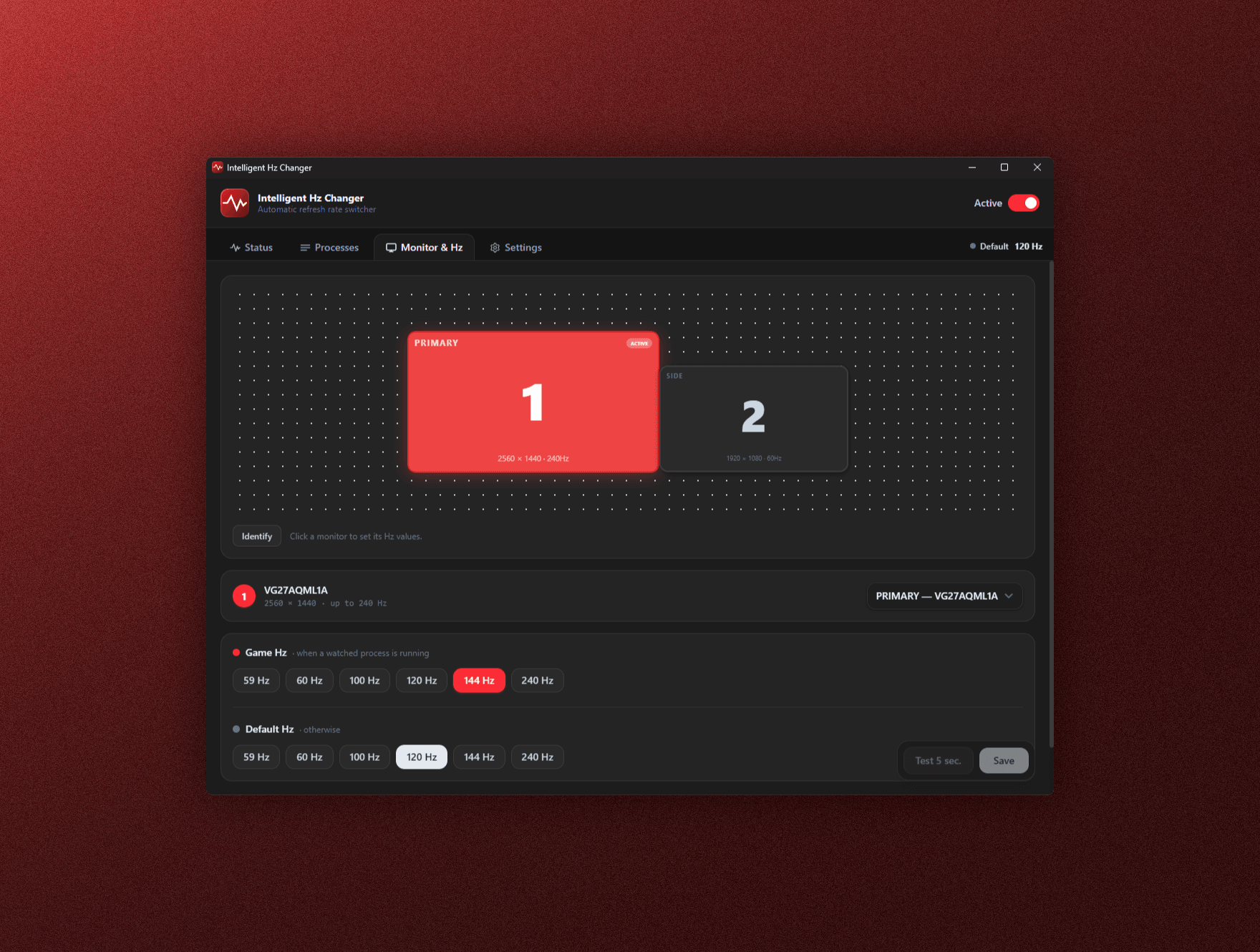
Game on, 144 Hz. Game off, 60 Hz.
You click the monitor, set one refresh rate for gaming and one for everyday use, and enter the .exe names of your games. From then on the app sits in the tray and switches on its own.
The refresh rate can be global or per process: you can set a separate rate for each game and each monitor, for example 144 Hz for one game and 240 Hz for another.
Before you save, you can test the new rate for five seconds. With several screens, “Identify” shows the monitor numbers so you know which is which.
Tech stack
What Intelligent Hz Changer does
- Multiple monitorsEach screen gets its own values.
- Global or per processOne default rate for everything, or a separate one per process and monitor.
- Hz testTry it for five seconds before you save.
- HistoryA graph shows the refresh rate over the last hour.
- LogEvery Hz change and every process start, filterable.
- Stays in the backgroundClosing minimizes to the tray instead of quitting the app.
- Autostart and auto-updates
Installing with an AI assistant: instructions for every operating system at /projekte/intelligent-hz-changer/install.md